
Year-End Review Presentation: How to Create One That Brings Clarity, Not Confusion
A year-end review presentation is one of the most important presentations you create all year. When done right, a year-end presentation helps people clearly see progress.
In this guide, I will explain how to build a year-end presentation that feels organized and honest.
Let us get right into it.
What Is a Year-End Review Presentation?
A year-end review presentation is a structured overview of;
- Goals, performance, outcomes, and learnings from the past year.
It is commonly used in;
- Companies
- Teams
- Startups
- Agencies
- Educational settings
The purpose is not to show every detail. It is to highlight.
- What the year was about
- What worked and what did not
- What changed along the way
- What should happen next
Why a Year-End Review Presentation Is So Important?
A strong year-end review presentation helps:
- Align teams on shared outcomes
- Build transparency
- Build trust
- Support strategic planning
- Show accountability
- Create closure
Method 1: Begin With the Year’s Starting Point
Your presentation should briefly remind the audience of where and how the year started.
This could include:
- The goals set at the beginning of the year
- The business or market conditions of the year
- Any major priorities
This context helps people to evaluate the results properly.
Method 2: Structure the Presentation Around Themes
One common mistake is reviewing the year month by month. In this way, it can get hard to follow.
A better approach is to organize your presentation by themes. This can include:
- Business or performance growth
- Product or service development
- Customer outcomes
- Team and operations
- Learning and improvement
Method 3: Highlight Key Achievements With Meaning
For each major achievement, explain:
- What was achieved
- Why was it important
- What impact did it have
Method 4: Address Challenges Without Overexplaining
Challenges are very natural. Ignoring them can make the presentation very unrealistic.
When discussing challenges:
- Be clear and factual
- Avoid blaming individuals
- Focus on lessons learned
- Show how those lessons influenced decisions
This builds confidence.
Method 5: Use Data to Support, Not Distract
- Data is valuable. But it has to support a message
- Use simple charts and visuals.
- Each data should answer a clear question
Method 6: Capture Learnings From the Year
One of the most valuable parts of a year-end review presentation is what the team learned.
This might include:
- Strategies that worked better than expected
- Processes that caused delays or friction
- Insight about customers and markets
- Skills or tools that improve productivity
Learnings help ensure the same mistakes are not repeated.
Method 7: Show How the Year Shaped the Next One
A year-end review should naturally lead into what comes next.
Use the final section to explain:
- Key priorities for the upcoming year
- Areas that need more focus
- Goals or direction moving forward
Common Mistakes to Avoid in Year-End Review Presentations
Some common issues reduce the impact of year-end reviews:
- Too many slides with too much text
- No clear narrative
- Ending without clear steps
Make sure to keep your slides clean and explanations very simple.
Turning Year-End Content Into Slides With MagicSlides
Preparing a year-end review presentation can be hard. It is about writing summaries. Converting all this into structured slides can take up your hours.
MagicSlides.app, an AI presentation maker tool, helps simplify this process. It helps by turning written content into organized Google Slides. All of this automatically, in under a minute. Instead of manually designing each slide, you can start with a clean structure. You can customise it later.
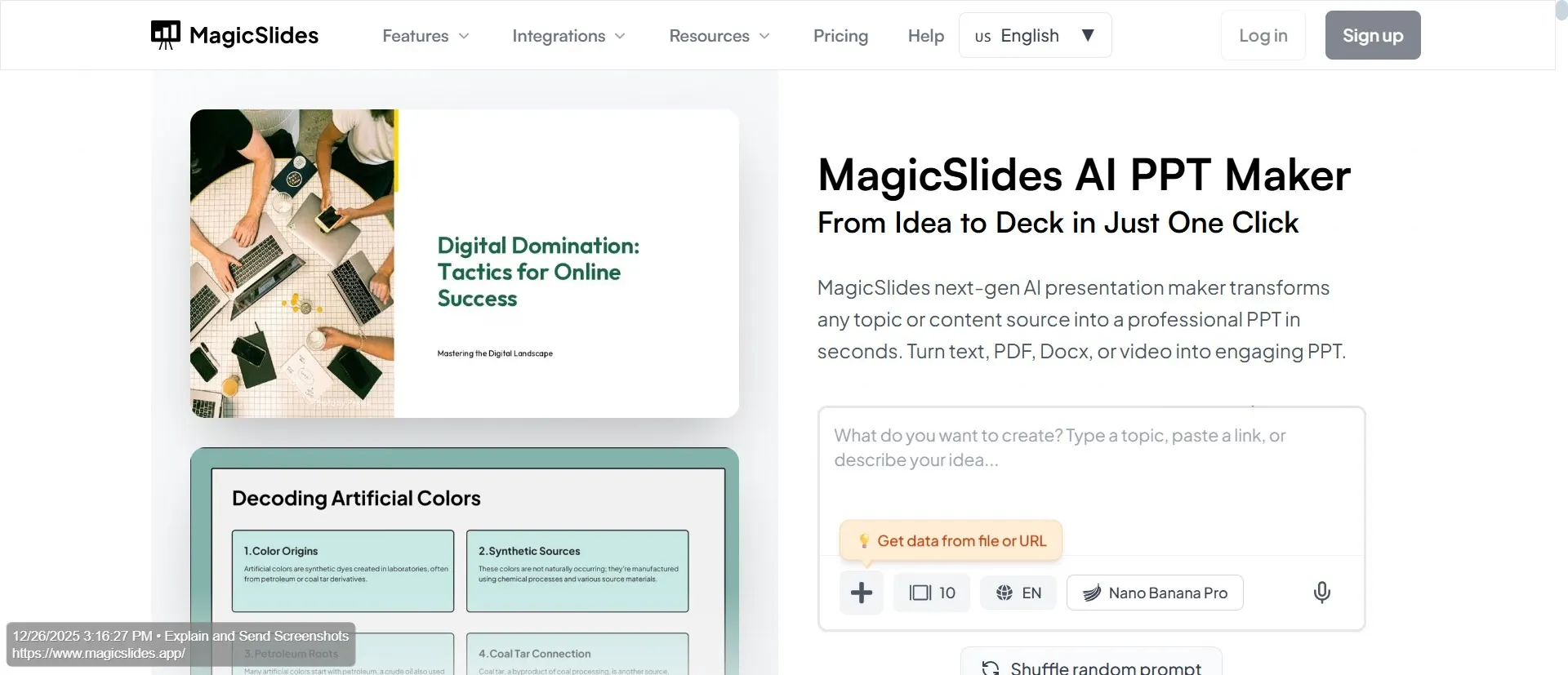
This is especially helpful for year-end reviews where clarity and speed matter. MagicSlides makes this entire process easy for you.
How Long Should a Year-End Review Presentation Be?
There is no fixed rule. But a good year-end review presentation can be between 10 and 15 slides.
Your goal is to cover the year clearly.
Conclusion
A year-end review presentation is not just a recap. It is a reflection tool. When structured well, it helps people understand the past year. It helps them move forward with clarity.
If you are looking for a way to save time while creating structured, professional slides, MagicSlides.app can make the process faster and more efficient.
FAQs
Q1. What should be included in a year-end review presentation?
Goals, major achievements, challenges, key metrics, learnings, and next-year priorities should all be included.
Q2. Who usually presents a year-end review presentation?
Managers, team leads, founders, department heads, or project owners typically present year-end reviews.
Q3. How detailed should a year-end review presentation be?
It should focus on high-level insights rather than daily details. Make sure to keep the audience engaged and informed.
Q4. Can MagicSlides be used to create a year-end review presentation?
Yes. MagicSlides helps convert written summaries and notes into structured Google Slides. This makes the year-end reviews easier to prepare.
Q5. How early should a year-end review presentation be prepared?
It’s best to start preparing at least a few weeks before the year ends. In this way, data, feedback, and insights are accurate.
Q6. Can a year-end review presentation be reused for different audiences?
Yes. The core content can stay the same, but emphasis can be adjusted depending on the audience.
Q7. Does MagicSlides help update year-end review presentations faster?
Yes. MagicSlides makes it easier to revise or regenerate slides when numbers or priorities change, without rebuilding the presentation from scratch.