
Presentations play a crucial role in communication, whether it’s for business meetings, academic projects, training sessions, or marketing pitches. However, converting long-form text into structured slides often takes hours of manual work. This is where AI-powered presentation tools make a real difference.
MagicSlides’ Text to PPT with AI is designed to simplify this process. By intelligently analyzing your text, the tool converts it into a well-organized PowerPoint presentation with clear slide structure, professional layouts, and optional visuals. Instead of worrying about formatting and design, you can focus entirely on your message while AI handles the slide creation.
This solution is ideal for users who want fast results without compromising on quality, making it suitable for beginners and professionals alike.
Convert Text to PPT with AI
Enter Text and the MagicSlides AI PPT Maker will generate a PPT for you
Quick Steps - Text to PPT
Step 1. Open MagicSlides Text to PPT.
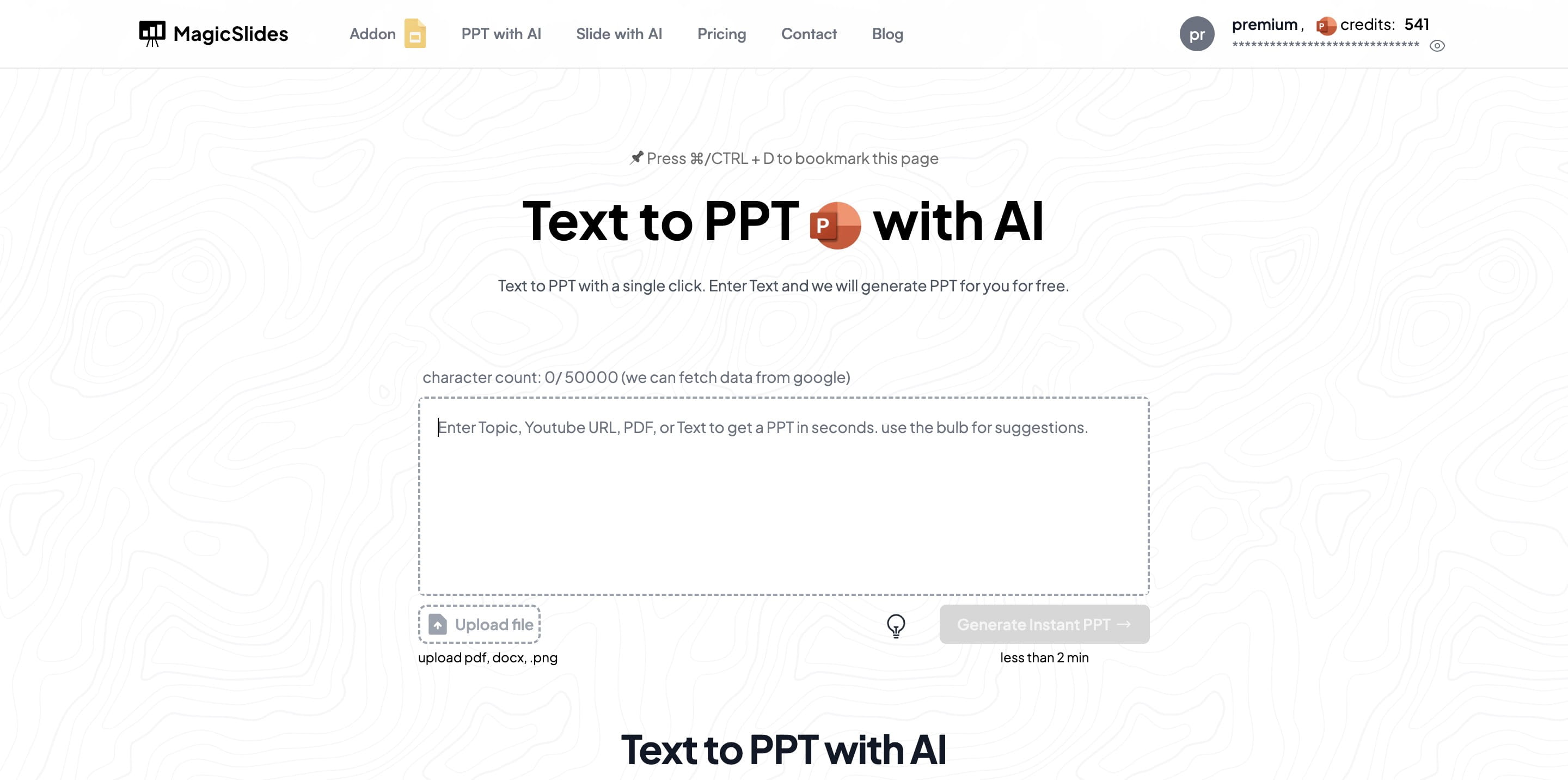
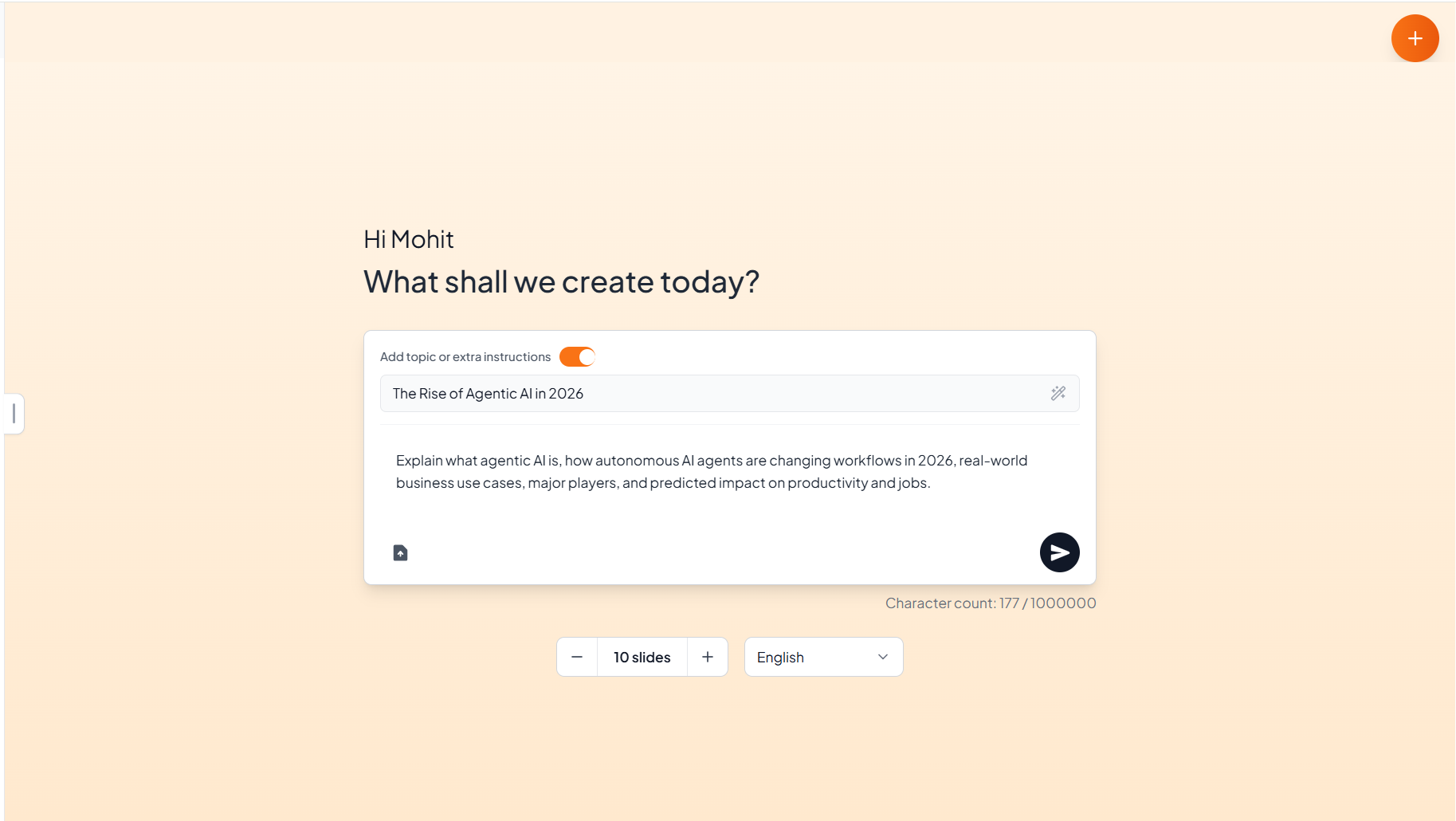
Step 2. Enter Text. Select presentation length. Click on the arrow button.
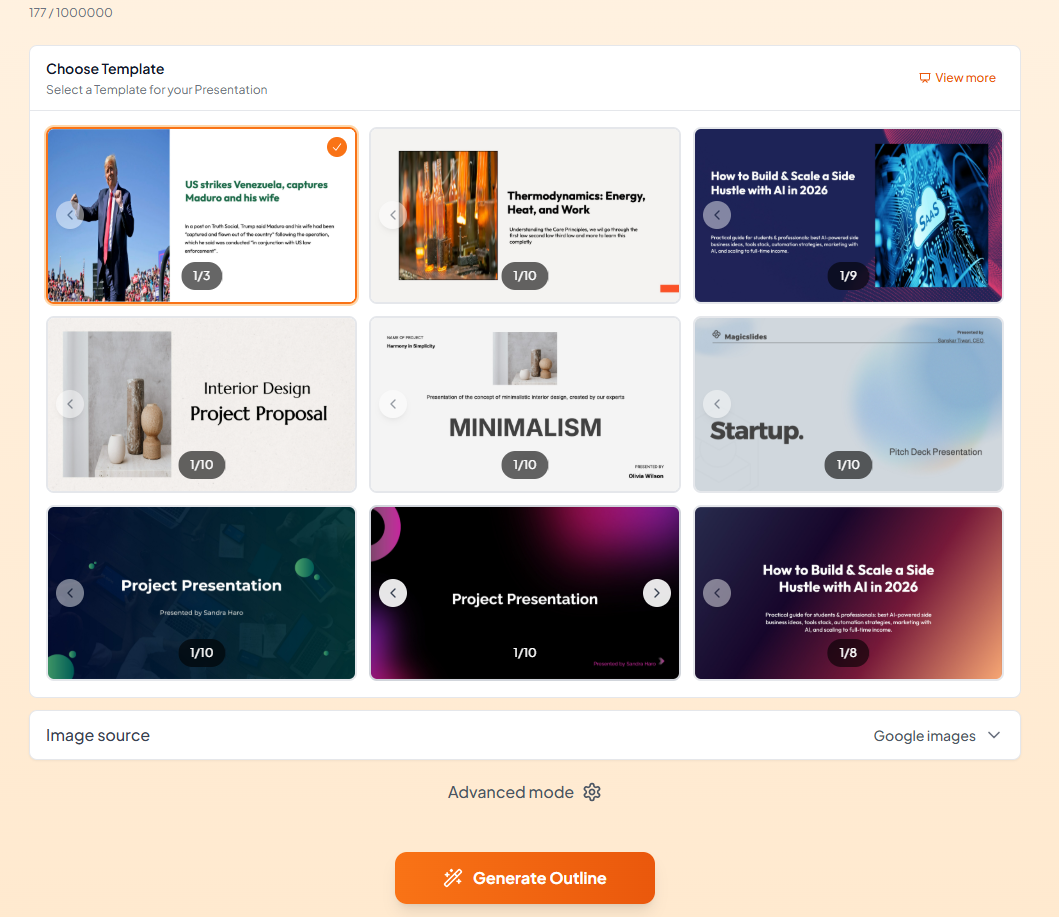
Step 3. Choose a template and select an image source. Click on generate outline.
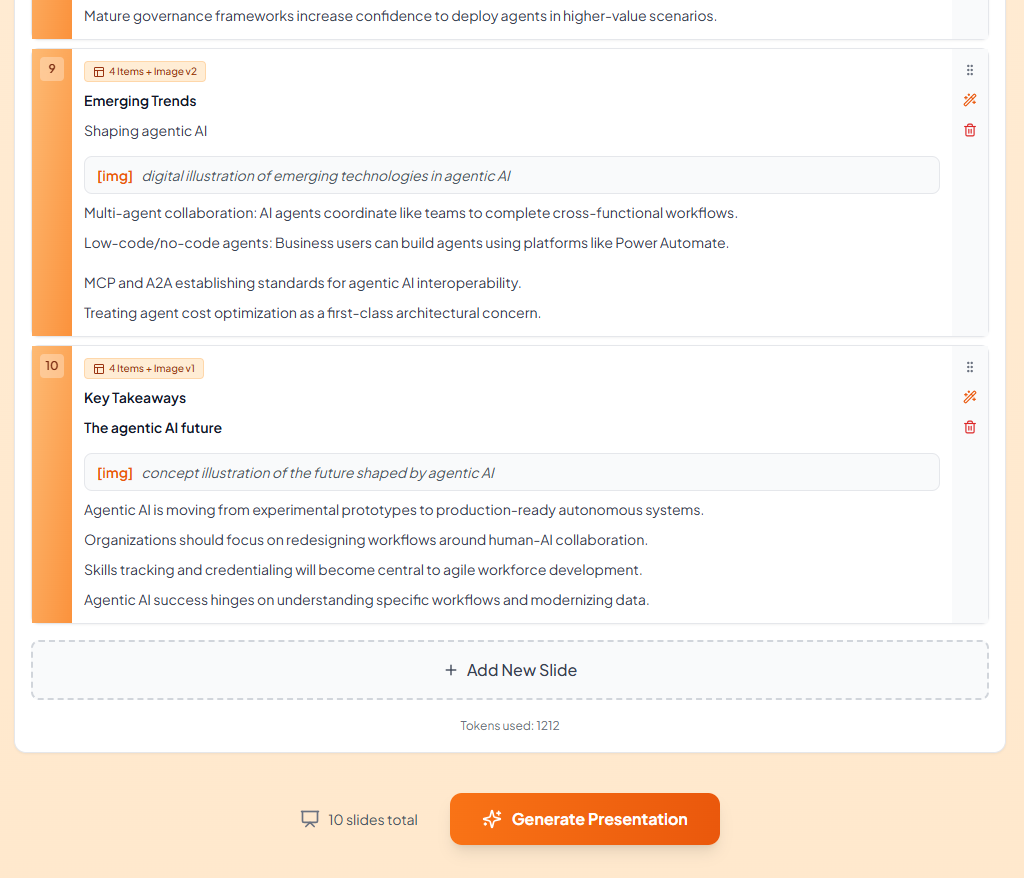
Step 4. It will generate a PPT outline, go through the outlines, and click on generate presentation.
Step 5. Check the generated slides, and use AI chat to enhance accordingly, based on your requirements.
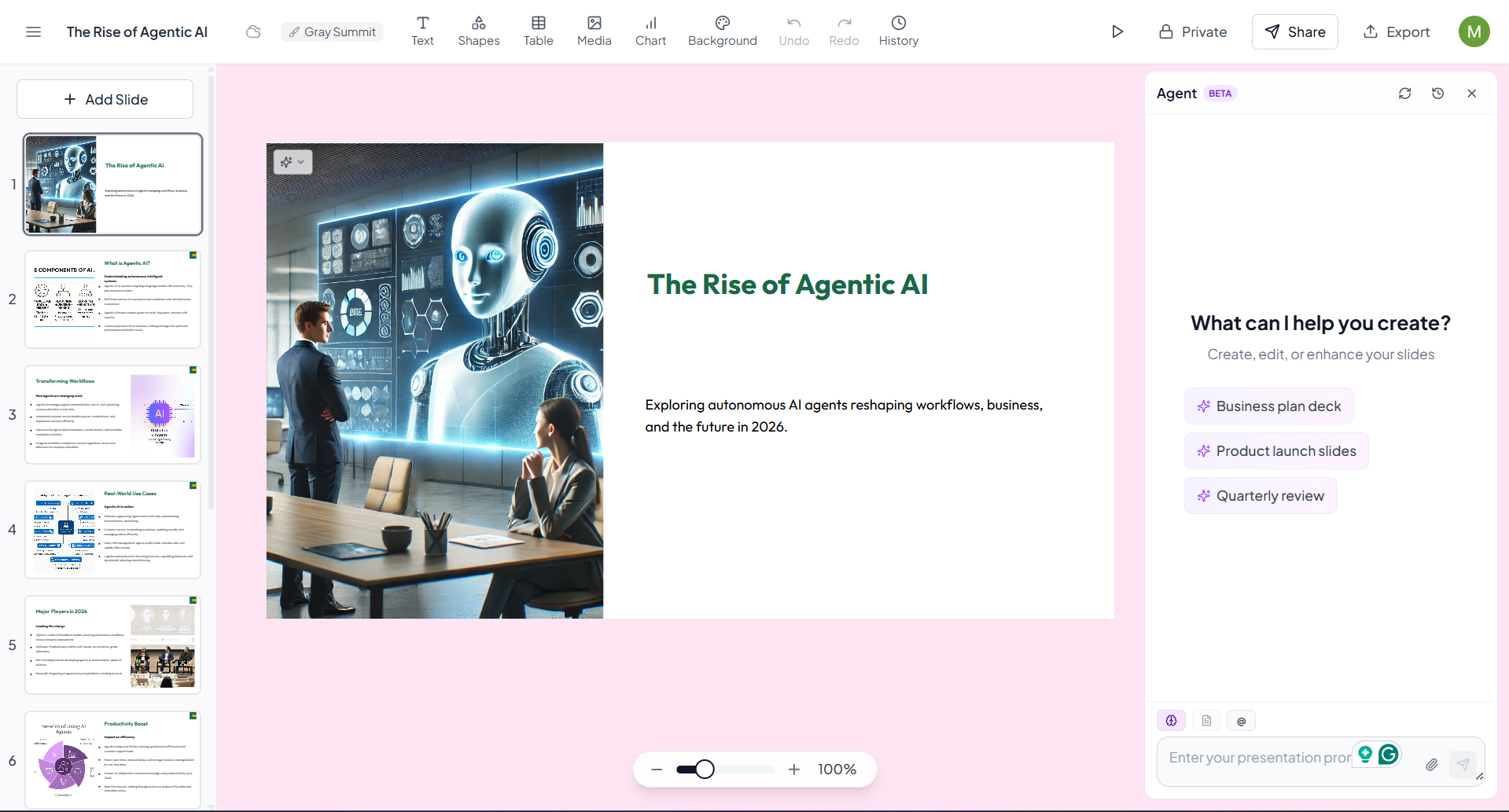
Step 6. Click on "Download (PDF/PPT/JPG)".
Benefits of Our Text to PPT AI Generator
Structured Content Transformation
AI organises your text into clear, structured slides, ensuring a logical flow and professional presentation.
Fully Editable and Customizable Slides
Convert text into editable PPT slides, allowing you to easily adjust content to suit your presentation style.
AI-generated layouts provide a professional aesthetic, making your text content visually engaging.
Save time with rapid AI-powered generation, enabling you to focus on refining your content rather than designing slides.
Keep your text data safe with our secure generation process, ensuring confidentiality and privacy.
Our AI generator accommodates various languages, making it accessible for users worldwide.
Who Can Use the Text to PPT AI Tool?
This AI-powered Text to PPT generator is suitable for a wide range of users:
- Students preparing assignments, seminars, or project presentations
- Professionals creating business reports, proposals, and internal presentations
- Educators & Trainers converting lesson notes into teaching slides
- Marketers & Content Creators turning written content into presentation-ready material
Why Choose AI for Text-to-Presentation Conversion?
AI eliminates repetitive formatting tasks and ensures consistency across slides. By automatically structuring content, selecting layouts, and applying design elements, it reduces human error and significantly speeds up the presentation creation process. This makes AI-based PPT generation a practical solution for modern workflows.
Conclusion
Whether you’re a student, professional, educator, or content creator, converting text into presentations doesn’t have to be a manual or design-heavy task. With MagicSlides’ AI-powered Text to PPT Transforming text into a professional presentation no longer needs advanced design skills or time-intensive effort. With MagicSlides’ Text to PPT with AI, you can convert raw text into clear, structured, and visually appealing slides within minutes.
The tool combines speed, flexibility, and security, making it an efficient choice for anyone looking to create presentations effortlessly while maintaining full control over edits and customization. You can create clean, professional slides quickly while maintaining full control over customization and content accuracy. It’s a smart way to save time and elevate your presentations effortlessly.
Frequently Asked Questions
Q1. How can I create a PPT from text using AI?
Our AI tool generates a structured PPT based on your text input. Just enter your text, sign up, and enjoy quick, accurate slide creation.
Q2. Will the PPT reflect the structure of a well-organised presentation?
Yes, our AI organises your text into a cohesive and visually appealing PPT structure, providing a professional look and feel.
Q3. Can I edit the PPT after generating it from text?
Absolutely! The generated PPT is fully editable, allowing you to modify or expand it as needed.
Q4. Can I use this tool for complex or detailed texts?
Yes, our AI analyses your input text and generates informative slides that cater to both simple and complex content.
Q5. Is my text data secure during the conversion?
Security is our priority. Your input and generated slides are encrypted and automatically deleted after processing.
Q6. How long does it take to generate a PPT from text?
Our AI typically completes the generation within minutes, delivering a ready-to-use PPT quickly.
Q7. How does AI improve the PPT generation process from text?
Our AI enhances content generation by accurately interpreting the text and creating structured, visually engaging slides.
Q8. Are there text length limits for the PPT generator?
Our tool supports short and extended texts, ensuring a well-organised presentation regardless of input length.
Q9. Is there a limit to the number of text inputs I can convert to PPT?
Please check the pricing page for details.