
What Is AI PPT? A Clear Guide for Anyone Who Makes Presentations
If you are looking for a way to speed up your PPT-making process, you have landed on the right page.
AI PPT exists to make the entire presentation-making process easier.
An AI PPT (Artificial Intelligence PowerPoint) is a tool that generates PowerPoint presentations automatically from text prompts, saving users time on design, content structuring, and image sourcing.
Let us get into it to make PPT-making easier for you!
Understanding AI PPT in Simple Terms
- It works by reading the information you provide
- It decides how that information should be organized into slides
- It identifies headings
- It breaks content into sections
- It creates a logical flow
Why AI PPT Is Different From Normal PPT Creation?
AI Vs Human
- Traditional presentation-making - you think in slides first
- AI presentation-making - you think in ideas first
Where AI PPT Actually Saves Time?
AI PPT saves you time by removing repetition.
With this, you no longer:
- Rewrite the same points across slides
- Rearrange sections again and again
- Guess how many slides you need
- Start over when the structure feels wrong
Why AI PPT Feels Easier for Beginners?
AI PPT gives you a safe starting point.
Instead of wondering “Is this slide okay?”, they ask “How can I make this better?”
That’s a much easier question to answer.
Where AI PPT Falls Short Without the Right Tool
Not all AI PPT tools are practical.
Some:
- Lock you into one format
- Over-design slides
- Generate generic content
- Do not work with real-world inputs
So how do you choose the right AI tool?
Meet MagicSlides - An AI PPT Tool that Works for Real Presentation Needs
This is where MagicSlides.app becomes relevant.
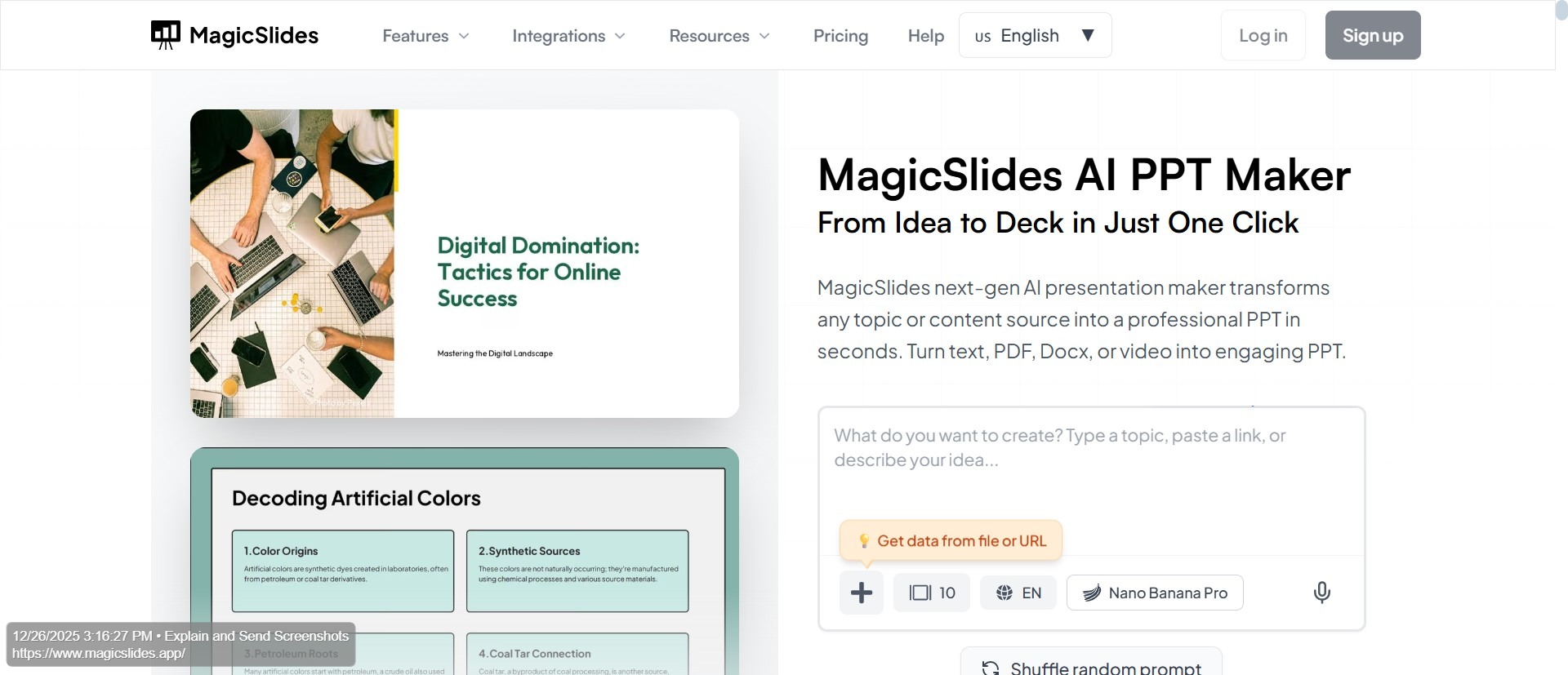
MagicSlides, an AI-powered presentation maker tool, helps you build professionally-crafted slides in under a minute. All you have to do is enter your prompt!
People don’t create content in one way. Sometimes it’s text. Sometimes a document. Sometimes a webpage or video. MagicSlides supports all of these inputs.
How People Actually Use MagicSlides?
Users don’t open MagicSlides to “generate a presentation.”
They open it because they already have content.
MagicSlides turns the content into a structured presentation that can be edited inside Google Slides or PowerPoint. This keeps the workflow familiar.
Why MagicSlides Feels Faster Than Manual Work?
MagicSlides handles everything automatically.
This is why MagicSlides works well for:
- Professionals who often create decks
- Founders preparing pitches
- Educators
- Trainers
- Students working under pressure
- Teams that need consistency
Why AI PPT with MagicSlides Is Not Just Automation?
By removing the mechanical work, people spend more time on:
- Clarity
- Storytelling
- Visual choice
- Delivery
Conclusion
AI PPT is about reducing unnecessary efforts.
When your structure is handled automatically, presentations become better. MagicSlides shows you how AI PPT should work. It supports real content, real workflow, and real users.
If you create presentations regularly, MagicSlides is the smarter way to start.
Add: Read How to Create Year-End Review Presentation.
FAQs
Q1. What does AI PPT actually do?
It converts content into a structured slide format so you don’t start from a blank deck.
Q2. Is AI PPT useful for professional presentations?
Yes. It creates drafts that professionals refine and customize.
Q3. Does MagicSlides replace PowerPoint or Google Slides?
No. It works with them, not against them.
Q4. Can MagicSlides handle different content formats?
Yes. That’s one of its biggest strengths.
Q5. Is MagicSlides suitable for beginners?
Yes. It removes the hardest part—deciding on structure.
Q6. Does AI PPT reduce creativity?
No. It removes repetitive work so that creativity can focus on meaning.
Q7. Can MagicSlides be used for business pitch decks?
Yes. It includes options specifically designed for business and startup use.
Q8. Is AI PPT a replacement for presentation skills?
No. It supports presentation skills by saving time and improving clarity.
Q9. Can AI PPT help reduce last-minute presentation stress?
Yes. By generating a structured draft quickly, AI PPT tools like MagicSlides reduce the pressure of building slides from scratch when time is limited.
Q10. Is MagicSlides useful for teams working on shared presentations?
Yes. Since MagicSlides works with common presentation tools, teams can generate slides quickly and then collaborate, edit, and refine them together.